Your Ideas, in Bloom.
A creative world begins with a spark. IdeaBloom AI turns passing thoughts into vivid still imagery, cinematic motion loops, and template-guided masterpieces in one calm, luminous garden.
Four Focused Creation Paths
Begin with your own words, start from a photo reference, or explore a template recipe that sparks your imagination—then make it yours.
Seed Image
Create images from text prompts. Turn a single sentence into a full, high-resolution visual world with tailored colors, lighting, and textures.
Seed Motion
Create short videos from text prompts. Let an idea move with cinematic physics, camera sweeps, and ambient environmental motion.
Reframe Image
Restyle a reference image with image-to-image creation. Explore fresh aesthetics and surreal motifs while anchoring your subject’s core composition.
Bring to Life
Bring a reference image into motion with image-to-video creation. Turn quiet portraits, landscapes, or artworks into breathing video loops.
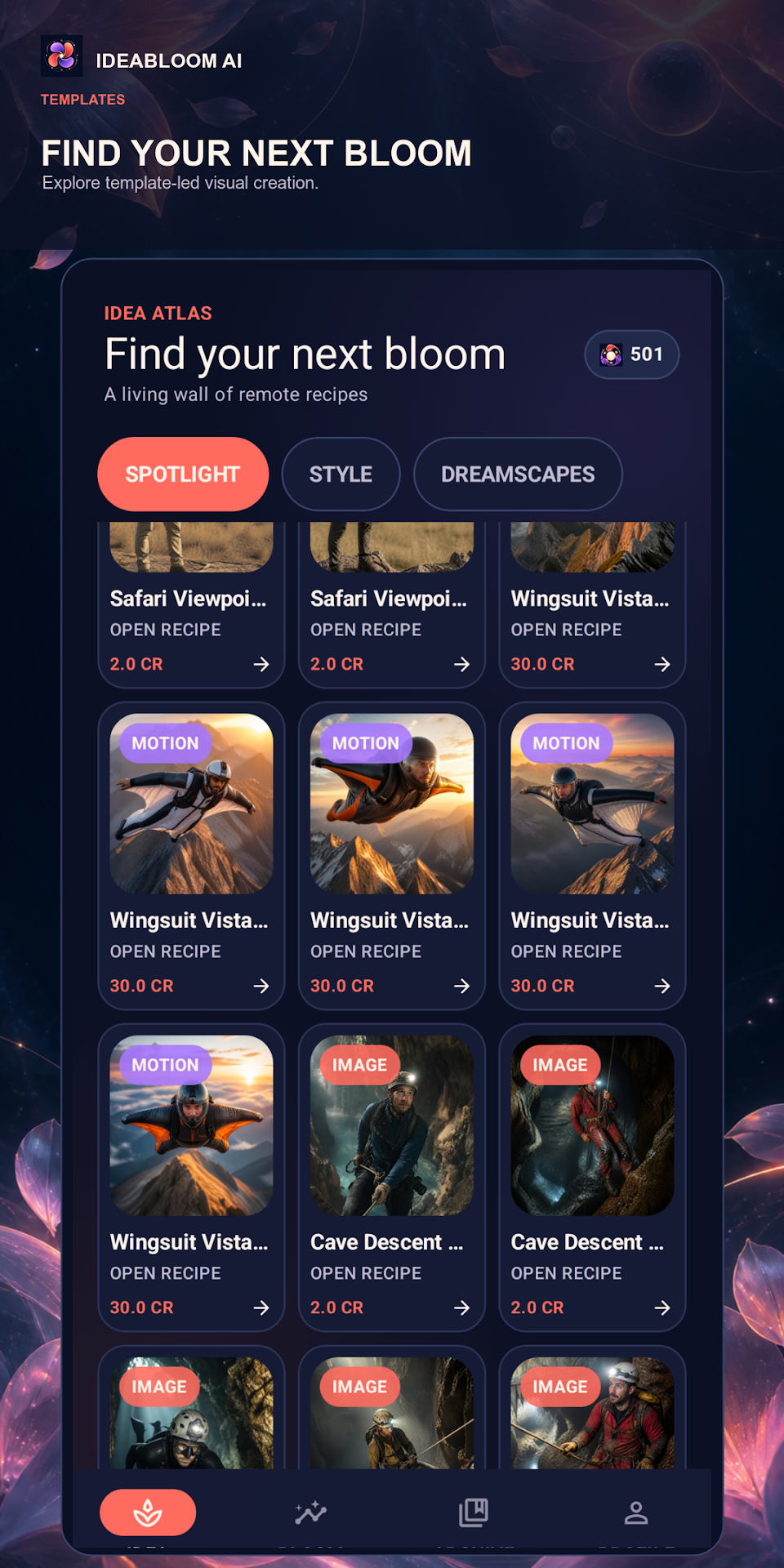
Idea Atlas: A Living Wall of Remote Recipes
Browse a growing collection of AI creation templates organized by category. Each template provides a pre-tuned creative starting point carrying prompt seeds, camera directions, and neural model parameters.
- Curated Channels: Seamlessly toggle between Spotlight, Style, Dreamscapes, and Adventure.
-
Transparent Credit Quotas: View upfront costs clearly (e.g.
2.0 CRfor images,30.0 CRfor motion scenes). - Instant Recipe Opening: Tap "OPEN RECIPE →" on cards like Wingsuit Vista or Safari Viewpoint to carry settings into Bloom Studio.
- Continuous Cloud Sync: The Atlas regularly refreshes with new community and artist recipes without requiring app updates.
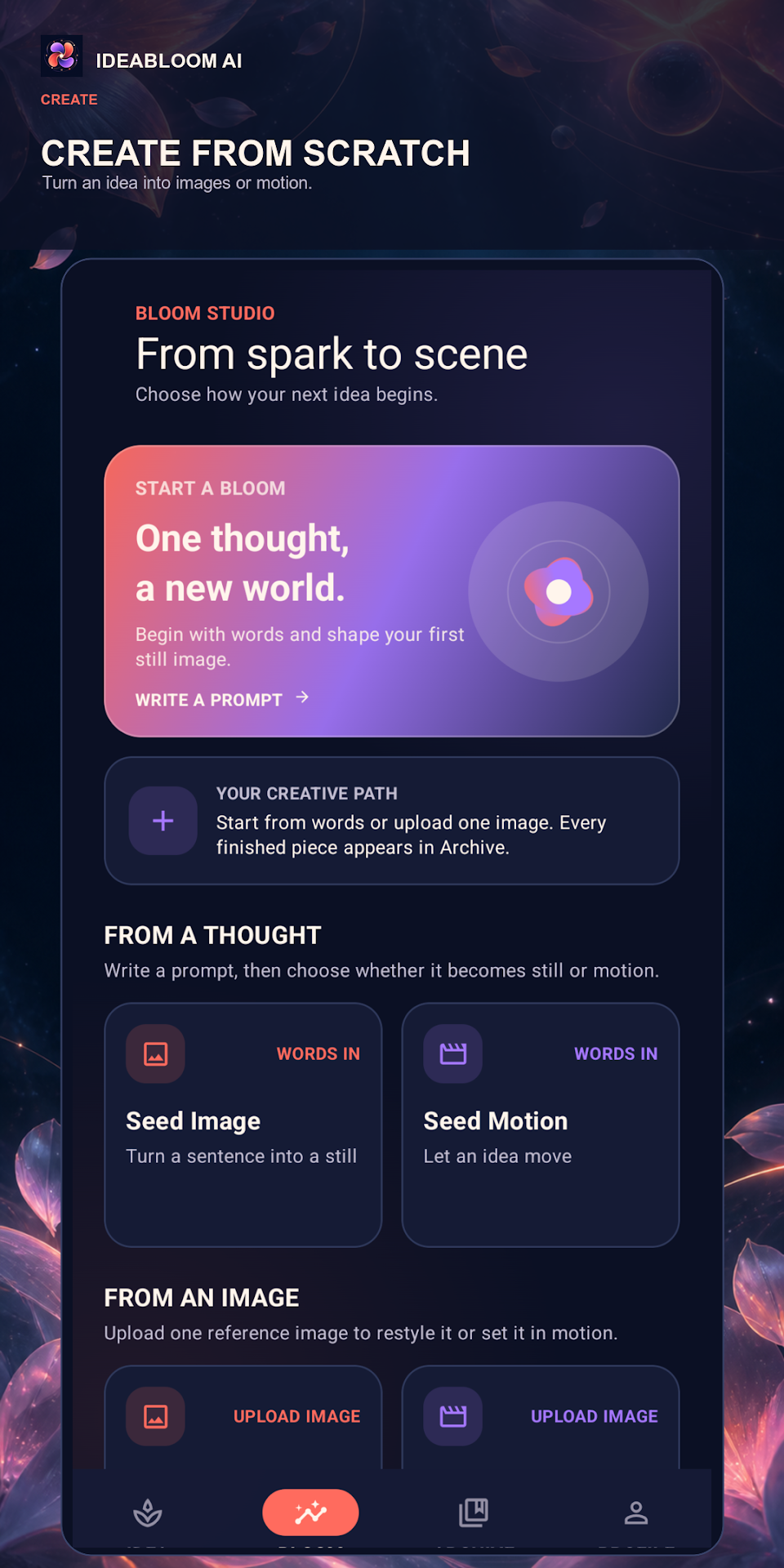
From Spark to Scene: Create from Scratch
When you have your own specific vision, Bloom Studio gives you clean dual entry points: craft from pure thought or restyle an existing reference photo.
- From a Thought: Enter natural language prompts and route directly into Seed Image or Seed Motion.
- From an Image: Upload your reference photo to reframe visual aesthetics or animate it with kinetic physics.
- Live Rendering Telemetry: Keep track of your job status with background cloud processing and zero device strain.
- Automatic Garden Storage: Every finished render immediately routes to your personal Archive garden.
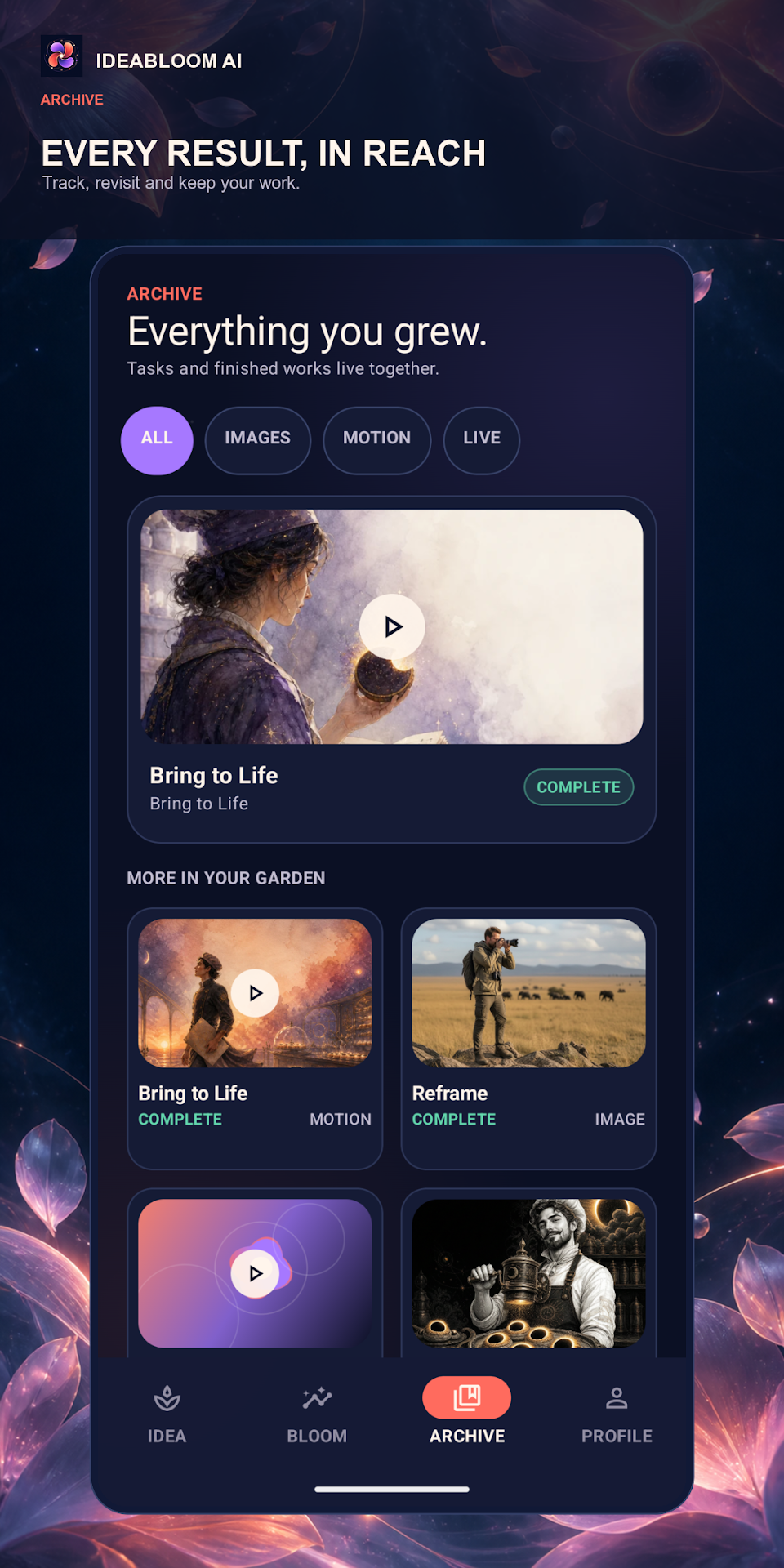
Everything You Grew: Your Archive Garden
Your Archive keeps your creations together in one calm space. Inspect generation recipes, stream motion scenes with the native player, enter fullscreen, or download finished master files.
- Unified Status Hub: Filter between All, Images, Motion, and in-flight Live tasks with zero clutter.
- Integrated Video Player: Stream animations and motion scenes natively in the app with scrub controls.
- Clear Completion Seals: Distinct emerald "COMPLETE" badges confirm when your masterpiece is ready to share.
- Direct Device Downloads: Export uncompressed PNG master artwork and MP4 videos directly to your phone gallery.
Plant the Seed
Browse remote recipes in the Idea Atlas or write custom prompts from scratch in the Bloom Studio prompt bar.
Bloom on Workbench
Choose between Seed Image, Seed Motion, or Reframe. Review credit quotas and let the neural engine render in the background.
Harvest in Archive
Your finished creation lands in the Archive with the emerald COMPLETE seal. Play in-app, review prompt seeds, or export high-res masters.
A Garden of Infinite Possibility
A luminous midnight aesthetic with bioluminescent floral accents designed to inspire your creative intuition.
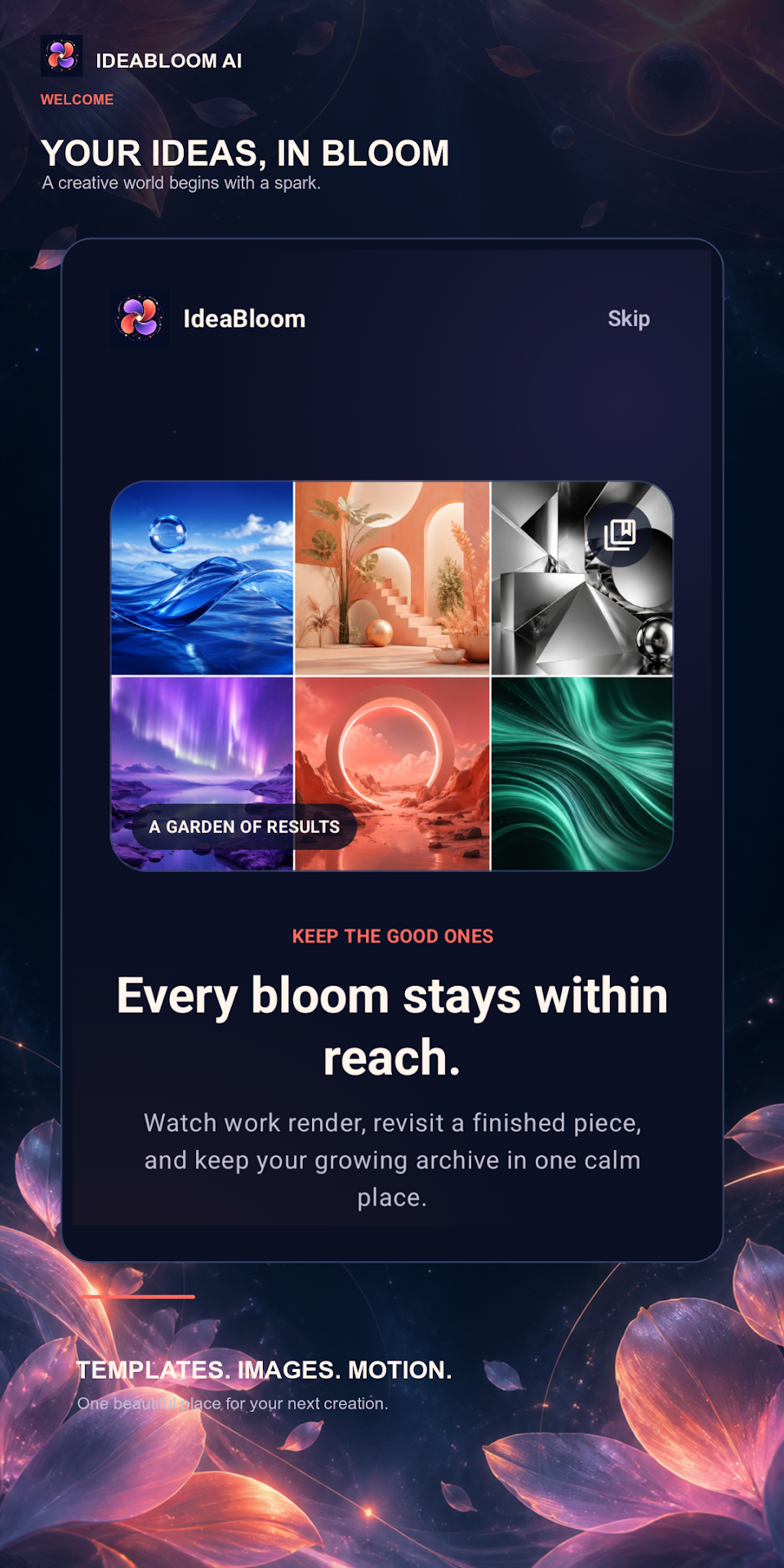
Garden of Results
Curated inspirations and creative welcome
Idea Atlas
Living wall of remote recipes and templates
Bloom Studio
Create from a thought or from an image
Archive Garden
Everything you grew with native video player